
Smart Home Consulting for a California Homeowner Navigating Insurance Requirements and Aging in Place
How a remote smart home consultation helped an older homeowner understand her options — from Philips Hue smart bulbs to Apple HomeKit — without the overwhelm.
When Insurance Requirements Push You Into a World You Don’t Know How to Navigate
For most people, the decision to explore smart home technology comes from curiosity or convenience. For Sherry, it came from something more pressing: her California home insurer was requiring costly upgrades — electrical work, fire and burglar systems, heater replacements — and she wanted to understand whether smart home technology could help her stay ahead of those requirements, lower her risk, and feel more in control of her home as she got older.
The problem wasn’t motivation. It was orientation. Sherry was comfortable with her new iPhone. She had a few remote controls for her ductless mini-split HVAC system. But the smart home aisle — with its competing ecosystems, acronyms, and promises — felt like walking into a foreign country without a phrasebook. She liked the idea of Apple products because she alredy had products in their ecosystem. She wanted voice control for her lamps and bathroom lighting without having to touch anything. And she absolutely didn’t want five different apps to manage one set of lights.
She reached out to Serenity through a family connection. Her first message was warm, a little tentative, and ended with: “I look forward to talking or zooming with you. I REALLY like the name and logo for your business!” That warmth set the tone for everything that followed.
A Blueprint That Met Her Exactly Where She Was
Ashley opened the Blueprint engagement not with a product pitch, but with a question: what’s actually driving this for you right now? What came out of that conversation was a clear picture — not just of what Sherry wanted technically, but of how she wanted to feel in her home: safe, in control, not dependent on anyone else to manage her environment, and most certainly not locked into monthly fees for smart home features she already paid for.
From there, the recommendations were specific and sequenced — a vendor-neutral plan starting with something easy, reliable, and immediately useful, with a clear path to grow from there.
Philips Hue smart bulbs were the natural first step. They work in standard lamp sockets and most sconces with no electrical work, no new fixtures, and no electrician. They offer tunable white and color options, can be scheduled to dim at night or brighten gradually in the morning, and have one of the longest reliability track records in the consumer smart home space. Critically, they integrate natively with Apple HomeKit — which meant no new app, no new account, and no data leaving the Apple ecosystem she already trusted.
Apple HomePod was recommended over Alexa or Google Assistant for one clear reason: privacy architecture. Apple processes voice requests on-device wherever possible, doesn’t build advertising profiles from your home activity, and the HomePod doubles as a HomeKit hub — meaning automations run locally even when the internet is down. For a homeowner who’d already expressed discomfort with always-on listening devices, this wasn’t a minor footnote. It was the deciding factor.
Occupancy sensors came up as the elegant solution to a surprisingly common frustration: lights that turn off while you’re still in the room because you weren’t moving enough. A good PIR (passive infrared) occupancy sensor — as opposed to a basic motion sensor — stays active as long as the space is occupied, even if you’re sitting still and reading. Ashley demonstrated her own Lutron remote and Hue setup live during the call, showing exactly what “hands-free” lighting actually looks like in practice.
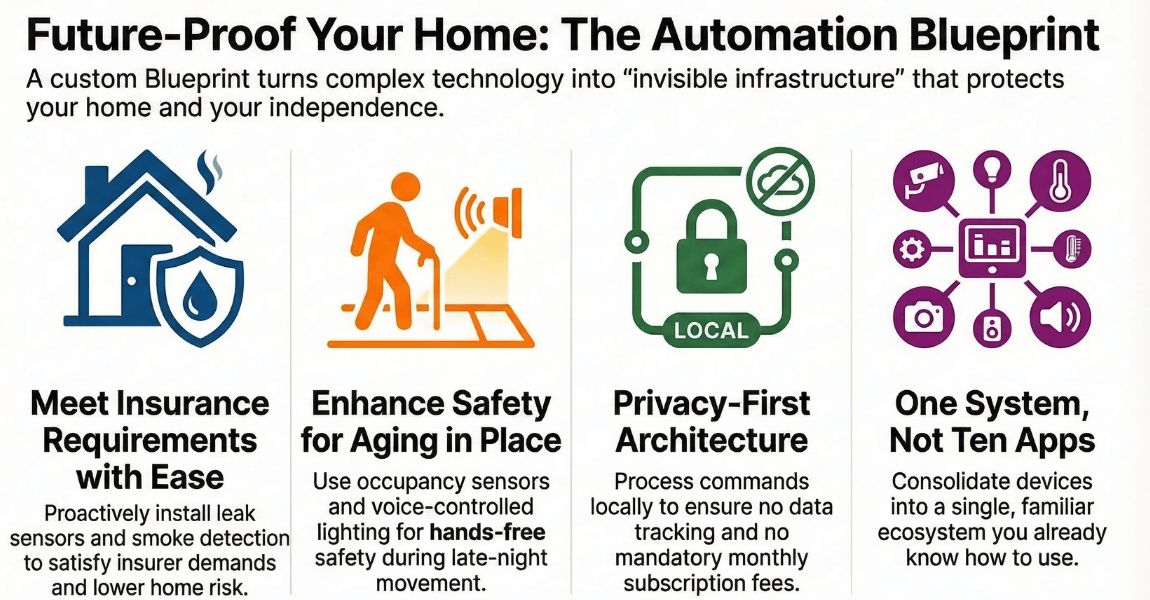
For the longer view, Ashley flagged the intersection of smart home technology and California insurance requirements as a genuinely emerging area. Leak sensors, smoke detection, and monitored systems are increasingly relevant to what California insurers look at — and understanding those connections early puts a homeowner in a much stronger position than scrambling to catch up after the next renewal.
The session ended with a concrete offer: Ashley would put together a short, curated list of devices matched to Sherry’s specific setup — lamp types, socket compatibility, existing Apple devices — that could be pre-configured and shipped for a guided remote installation. Sherry wouldn’t have to make any hardware store runs, nor would she be stuck deciphering instruction manuals alone.
From “I Don’t Know Where to Start” to a Clear Plan She Could Actually Use
What Sherry walked away with wasn’t a long shopping list or a pile of tech specs. It was a Serenity home safety and technology assessment report, a vendor-neutral, room-aware plan built around her specific devices, socket types, privacy preferences, and comfort level. A document she could act on herself, hand to a contractor, or use as the foundation for a full smart home setup down the road.
She coined a phrase during the call that stuck with Ashley long after it ended: start with something you can grow with. That’s exactly what this approach delivers — a foundation that’s useful today, expandable tomorrow, and never forces a client to tear out what they’ve already built just to add something new.
For older homeowners managing the complexity of aging in place, insurance compliance, and the desire to stay independent without becoming a burden to family, smart home technology at its best is invisible infrastructure. It’s the light that comes on when you walk into the bathroom at 2am without you having to find a switch. It’s the morning routine that eases you into the day. It’s the leak sensor that catches a problem under the kitchen sink before it becomes a flooded cabinet.
None of that requires an IT degree. It requires one honest conversation with someone who knows what questions to ask — and what to recommend when the answers come back.
“I don’t know why I waited so long to just ask someone. I thought I’d have to spend hours researching or figure it all out on my own. Instead I got real answers in one conversation, and for the first time I actually feel like I know what I’m doing.” — Sherry, retired homeowner, Northern California
-
Client Information
A retired homeowner in Northern California navigating evolving home insurance requirements and looking for a practical, private first step into smart home technology
-
Service Type
-
Project at a Glance
Smart Home Components Lighting, Voice Control, Environmental Sensors Contruction Type Retrofit Platforms Used Home Assistant Who This Helped Aging In Place, Families Seeking Peace Of Mind How We Helped Consulting And Design, Remote Consulting
Remote Smart Home Consulting Questions for Older Homeowners
Getting started with smart home technology later in life raises a lot of practical questions, especially when insurance requirements are part of the picture. Here are the ones that came up during this consultation.
Yes. A remote smart home consultation covers everything a local session does: assessing your current setup, recommending the right devices for your home and comfort level, and walking you through options in plain language. For straightforward setups like smart lighting and voice control, I can also pre-configure devices and ship them to you with guided remote support to help you get them running.
For homeowners already in the Apple ecosystem, Apple HomeKit is often the strongest fit. It offers tighter privacy controls than Alexa or Google Assistant, keeps automations running locally on your devices, and integrates cleanly with products like Philips Hue, smart locks, and occupancy sensors. The HomePod mini serves as a hub that doesn't require a phone to be present for automations to run.
In most cases, no. Smart bulbs like Philips Hue screw directly into existing lamp sockets and most overhead fixtures, so there's no electrical work required. For lamps and sconces with the right socket type, it's one of the easiest and most impactful first steps. You get voice control, scheduling, and scene-setting without touching a single fixture or calling an electrician.
Increasingly, yes. California insurers are beginning to recognize smart home safety devices (including leak sensors, smoke detectors, and monitored security systems) as risk-reduction tools that can support compliance, potentially reduce premiums, or help demonstrate due diligence. This is an evolving area, and the best starting point is a conversation with your specific insurer about what they credit.
It means I recommend a foundation that works well on its own today, but doesn't box you in tomorrow. A smart bulb in your living room lamp is useful by itself, and it's also the same system that can later connect to an occupancy sensor, a morning routine, or a whole-home dashboard. You never have to rip out what you started with. You just add to it at your own pace.