Building a Live Smart Home Showroom in 90 Square Feet: Loxone, Home Assistant & Multi-Protocol Automation
How Serenity Smart Homes built a fully functional, client-facing demonstration environment in a rented coworking office, with no permanent wiring, one installer, and every major smart home protocol running live.
Why a Smart Home Business Needed a Place to Stop Explaining and Start Showing
There is a gap between describing smart home automation and experiencing it. You can explain what presence-based lighting means — but it lands differently when someone walks through a door and the room responds before they reach for a switch. You can describe an NFC-triggered lock sequence — but it means something different when a client taps a card and hears the cabinet click open. You can talk about the difference between Loxone’s Touch Surface and a standard smart switch — but the conversation changes the moment someone actually touches one.
That gap was the reason for building the Serenity Smart Homes showroom. Not a rendering. Not a slide deck. A real, working, fully installed smart home environment where every claim we make about locally controlled automation can be demonstrated live — in real time, on real hardware, with no cloud dependency and no script.
The constraint: a 90 square foot rented coworking office in a shared professional building. No permanent wiring permitted. No structural modifications. One installer. A build timeline measured in evenings and weekends alongside an active client schedule.
The goal wasn’t to make the space look impressive. It was to make every square foot of it prove something.
Designing a Multi-Protocol Environment That Tells a Coherent Story
The architecture of the showroom was designed around a single principle: every system should demonstrate a real residential use case, not a contrived demo. Clients and partners who visit aren’t watching a canned walkthrough — they’re interacting with the same automation logic that would run in their home.
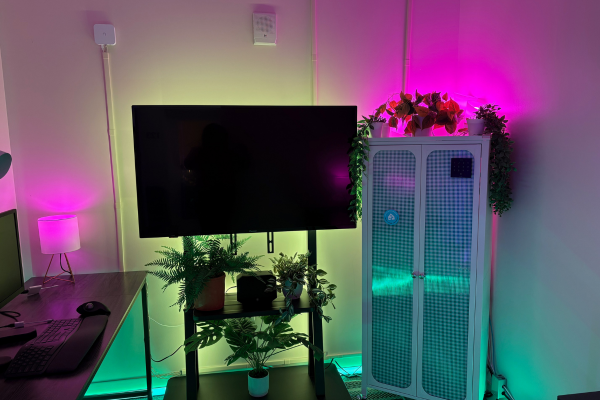
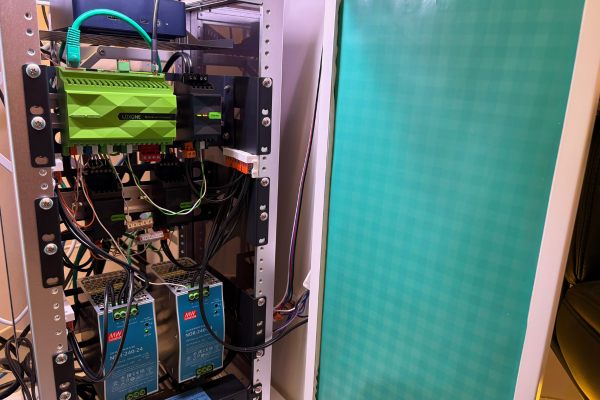
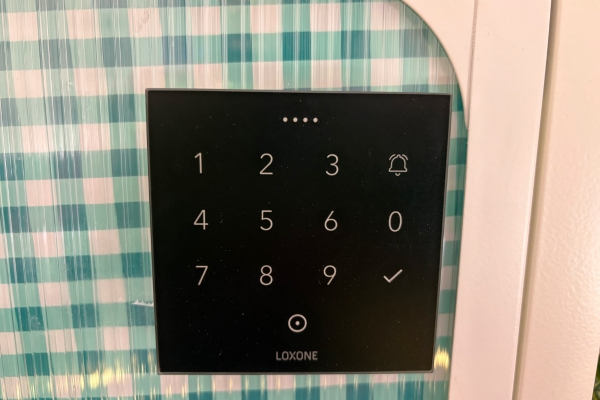
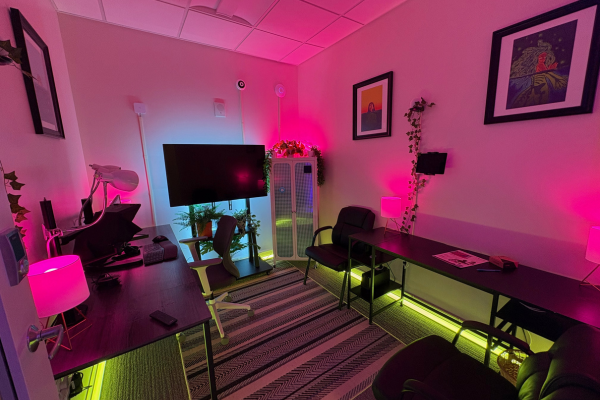
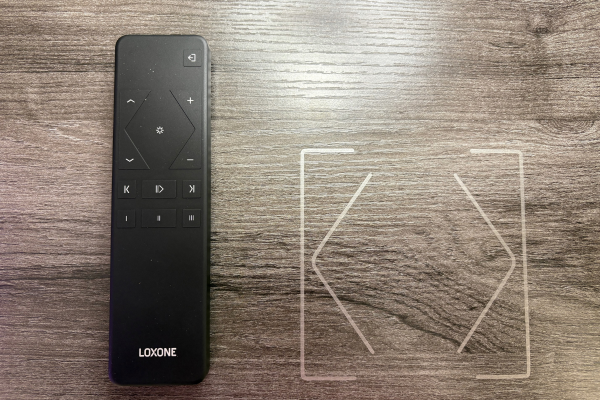
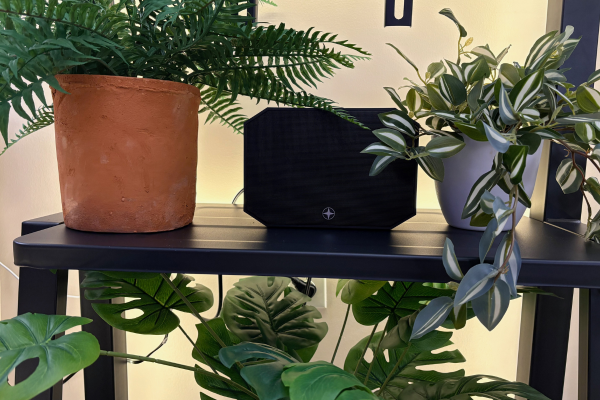
Loxone as the control core. The Loxone Miniserver Compact anchors the system from inside a hand-built mobile cabinet, alongside the Stereo Extension, a custom DIN rail rack, two Mean Well NDR-240-24 24V transformers, and Wago terminal block wiring throughout. Loxone handles what it does best: the Presence Sensor Air controls perimeter floor lighting based on occupancy with no manual trigger required; the NFC Touch Air on the cabinet door reads tags and fires virtual outputs to Home Assistant to trigger the Yale lock sequence; two RGBW Dimmers drive aluminum V-channel LED strips running the full baseboard perimeter of the room and behind the TV rack; and the Touch Surface provides physical scene control that clients can reach for and immediately understand. The Remote Air sits on the desk as a tangible demonstration of what a premium handheld controller feels like compared to a phone app.
Home Assistant as the integration layer. A Beelink mini PC running Home Assistant on Proxmox serves as the broader automation engine, connected via three independent RF buses — a Zooz Z-Wave stick, a Sonoff Zigbee stick, and the Loxone Air antenna connection to the Loxone Miniserver Compact. The Loxone Miniserver communicates to Home Assistant via API, with virtual outputs serving as clean event bridges between platforms. This architecture means a Loxone NFC read can unlock a Z-Wave device, a Reolink camera event can trigger a Loxone lighting scene, and every device across three protocols appears in a single unified interface. Clients see the result — one experience — without needing to understand the layers underneath.
Apple HomeKit as the consumer frontend. A 2016 iPad Pro wall-mounted inside the showroom serves as the interactive HomeKit frontend, exposed through Home Assistant’s HomeKit bridge integration. This gives visitors a familiar interface to explore while the Loxone and Z-Wave logic runs underneath — demonstrating how a privacy-first, locally controlled system can present itself through the same app a client already uses on their phone.
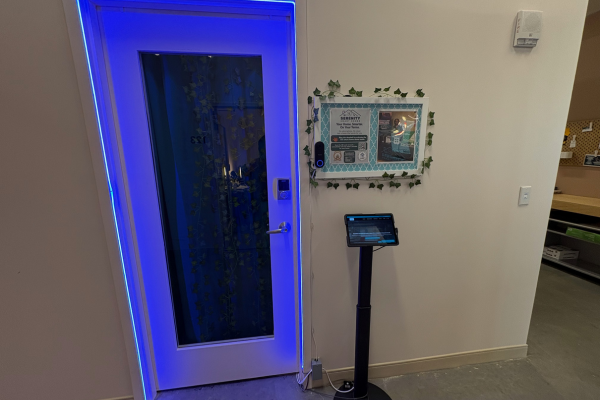
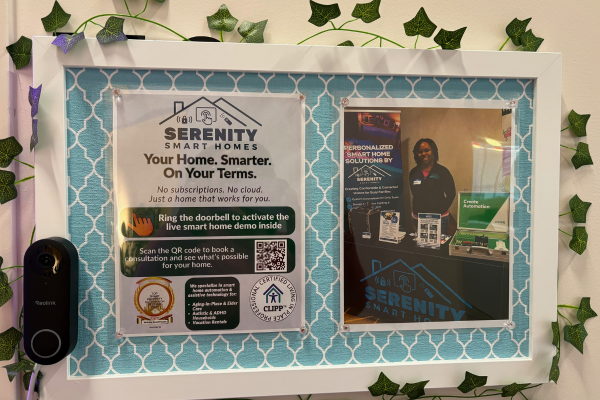
The external kiosk experience. Outside the door, a branded bulletin board with Serenity’s messaging, certifications, and a live Reolink PoE doorbell camera invites visitors to ring for a demo. When the doorbell is pressed, Home Assistant triggers the Aqara Zigbee curtain motor to open the ivy curtain inside the glass door, the external Galaxy tablet switches to a branded welcome page with a live video greeting and webhook-triggered lighting scene buttons, and the room activates. When the doorbell camera’s person detection clears, the sequence resets after 30 seconds — automatically, locally, without any cloud service in the loop.
All cable management runs through surface raceways along the baseboards, with junction boxes in the corners for Wago-terminated LED connections. No permanent drilling. No structural changes. Everything is mounted, velcro’d, or Command-stripped to a standard that passes a professional client walkthrough at close range.
What Clients Experience — and What It Closes
The showroom’s value isn’t the technology. It’s the moment a client stops being skeptical.
That moment happens in different places for different people. For some it’s the Touch Surface — reaching for what looks like a light switch and feeling something that has no comparison in consumer hardware. For others it’s watching the curtain open when the doorbell rings and understanding, without explanation, that this is what automation is supposed to feel like. For real estate investors it’s the NFC cabinet demo — a tap, a click, and the realization that tenant access management doesn’t have to mean rekeying locks. For aging-in-place clients it’s the Night Lights scene, low and warm along the floor, and the quiet recognition that their parent could move through the house safely at 3am without waking anyone.
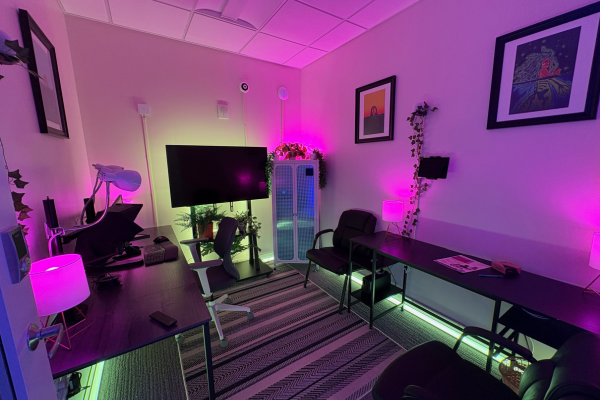
Every scene in the showroom — Work Mode, Night Lights, Party Mode — is a residential use case in miniature. Every automation sequence maps directly to something a client would want in their home. The room is 90 square feet, but the conversation it opens is not.
“The Touch Surface and Remote Air change the client conversation the moment they reach for them — nothing else feels that considered, that finished, that intentionally designed for a wall or a countertop. And Loxone’s open API means I can bridge directly into Home Assistant without compromise, giving clients the polish of Loxone with the flexibility of every protocol Home Assistant supports. That combination doesn’t exist anywhere else.” — Ashley Williams, Founder, Serenity Smart Homes, Loxone Silver Partner
-
Client Information
Serenity Smart Homes, my flagship demonstration environment, built to give clients, partners, and referral sources a hands-on experience of what privacy-first, locally controlled smart home automation actually looks and feels like.
-
Service Type
-
Project at a Glance
Smart Home Components Lighting, Cameras, Networking, Access Control, Audio, Environmental Sensors Contruction Type Small Office Platforms Used Loxone, Home Assistant Who This Helped Solo Business Owner How We Helped Full Installation, Consulting And Design
Smart Home Showroom & Loxone Integration Questions
Clients who visit the showroom consistently ask the same questions about what they're seeing. Here are honest answers.
They work together extremely well when architected correctly. In the Serenity showroom, Loxone handles what it does best (precise local logic for Air devices, Touch Surface control, presence-based lighting, and NFC access) while Home Assistant serves as the broader integration layer connecting Z-Wave, Zigbee, Philips Hue, and Apple HomeKit into a single unified experience. Loxone's open HTTP and WebSocket API is the bridge, with virtual inputs and outputs passing events cleanly between the two platforms. You don't have to choose.
The physical difference is immediately obvious when you touch one. Loxone Touch Surface panels are flush, satin-glass interfaces with no moving parts, custom-engraved icons, and sub-millisecond local response. They feel like they belong in the wall because they were engineered specifically for it. Standard smart switches, even good ones, feel like consumer electronics bolted to a surface. For clients who care about how their home feels, not just what it can do, the Touch Surface is often the moment that closes the conversation.
When a visitor presses the Reolink doorbell outside, Home Assistant triggers the Aqara Zigbee curtain motor to open the ivy curtain inside the door to 100%, and the external Galaxy tablet switches to a branded welcome page with a video greeting and live lighting scene buttons. Each button fires a Home Assistant webhook that activates a real lighting scene in the room, visible through the glass door. Thirty seconds after the doorbell camera's person detection clears, the curtain closes, the tablet resets, and the room returns to its default state. The whole sequence runs locally with no cloud dependency.
Accessibility. A coworking office in a shared professional building means clients, real estate investors, and referral partners can visit during their normal workday without driving to a residential neighborhood. It also demonstrates something important: that a serious, client-ready smart home installation can be built in a constrained space without permanent wiring or structural modifications. If we can do this in 90 square feet of rented office with Command strips and surface raceways, imagine what we can do in your home.
Yes. Showroom visits are available by appointment and take approximately 60 minutes. You'll experience every system hands-on: lighting scenes, NFC access control, presence automation, the doorbell-triggered curtain sequence, and the full Apple HomeKit and Loxone Touch interface. No purchase required and no pressure. Book at serenitysmarthomesnj.com or scan the QR code outside the door.